Skip to content
IDENTIFY / VERIFY / FIND
Original product-listing workbench with source records, a draft card and checks for confirmed and missing facts.
Illustrative concept · Built around your business
Model dataPart recordsReviewed links
FROM PRODUCT DATA TO A USEFUL LISTING

List products on Shopify without retyping every field.

Anyweb builds a guided listing workflow around information you already have. Prepare titles, variants, technical fields, images and categories in a consistent draft, then review the facts before the product goes live.

Free first look. Scope, connections and costs agreed before a production build.

A CONCRETE FIRST LOOK

Illustrative draft readiness check

Illustrative data, designed to make the workflow easier to discuss.

SAMPLE WORKSPACE
Illustrative draft readiness check; fictional example data
FieldSourceOutcome
Part numberStaff-entered labelConfirmed
DimensionsNot suppliedRequired before publish
DescriptionConfirmed factsReview wording

Fictional product record. Suggested text is not evidence of fitment, condition or safety.

01

Start with trustworthy source material

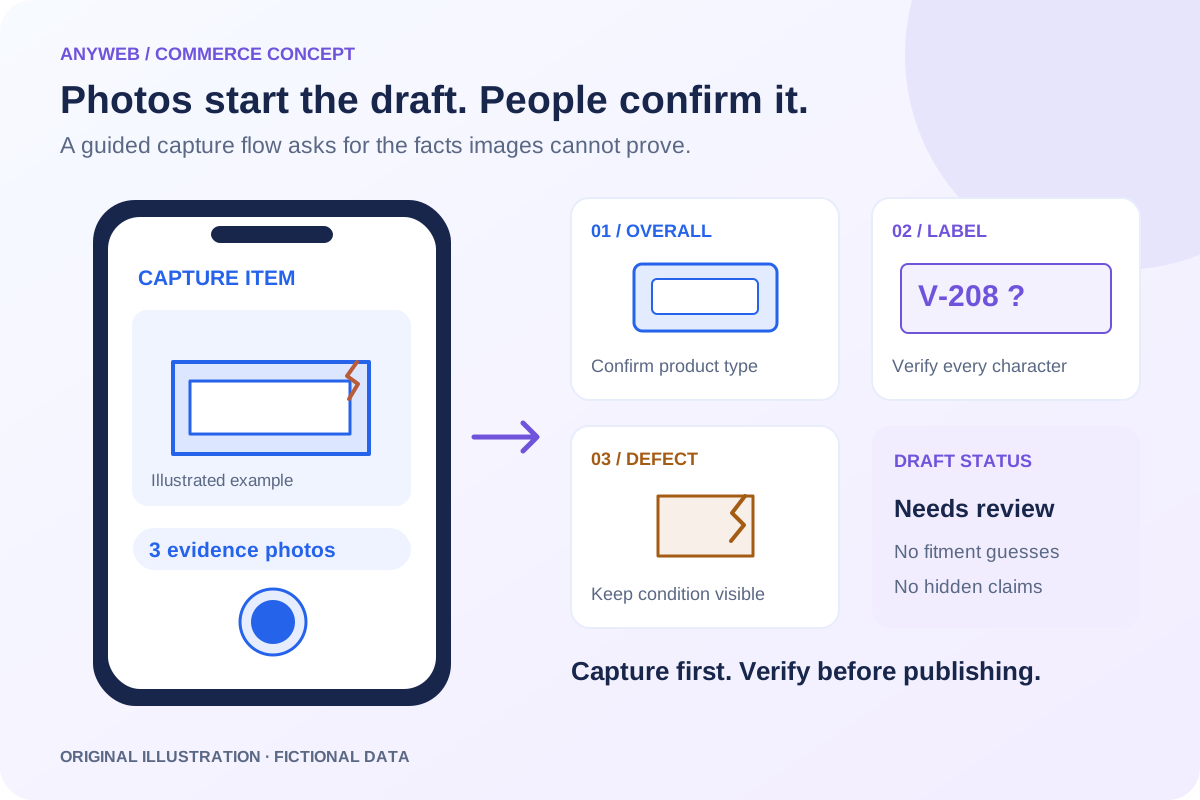
Connect an authorized catalog, inventory record or staff intake form. Capture the original identifier and where each fact came from. When an image suggests a product type but the model is unclear, request a label photo or confirmation rather than confidently filling the gap.

02

Map fields for your catalog

Define title patterns, units, option names and category-specific metafields. Separate facts from generated wording: a description can be suggested, but compatibility, dimensions and condition require evidence. Consistent structured fields make the product easier to filter and maintain.

  • Required fields by product type
  • Evidence-backed identifiers and specifications
03

Keep variants and duplicates understandable

Use a stable master identity for each product and a separate identity for each sellable variant. Detect likely duplicates before creating another listing. Different pack sizes, conditions and model revisions may require separate records even when their names look similar.

04

Make review purposeful

Show missing facts, image rights and differences from any existing listing. Explicitly create products as drafts instead of assuming every creation method defaults to draft. Reviewers can correct details, approve images and choose the intended destinations before publication.

FROM IDEA TO A WORKING PROCESS

A clear path through the work.

Each step makes the dependencies, decisions and handoffs visible.

  1. 01

    Collect the record

    Combine identifiers, authorized images and category-specific facts.

  2. 02

    Prepare the draft

    Normalize fields, suggest wording and surface duplicates or missing evidence.

  3. 03

    Review and publish

    Confirm accuracy, availability and destination before activating the listing.

REAL WORK. CLEAR CONTEXT.

Explore the relevant building blocks.

These references show related experience. The solution above is a proposed direction, and its exact scope is agreed for your project.

BEFORE YOU START

The useful questions.

What is possible depends on your data, existing systems and the way your business works.

Can I review every listing?

Yes. Require approval for all products or for defined exceptions after a tested rollout. Draft creation and publication remain separate steps.

Can it create variants?

Yes, when the source provides reliable option relationships. We validate combinations and identities rather than joining unrelated items by similar titles.

Can it handle one-off used items?

Yes, with actual photos, condition, defects and unique stock identity. Used items should not inherit generic claims for new products.

Will generated descriptions always be accurate?

No. Suggestions should use confirmed facts and highlight missing information. A reviewer checks technical claims and compatibility before publishing.

FREE DEMO BEFORE YOU COMMIT

Let’s make the first version useful.

Bring the current workflow and the result you want. We’ll review the dependencies and shape a free demo or concept before you decide on the build.

No upfront payment for the demo. No obligation to continue.
Technical references and further reading

Provider documentation helps define scope. Availability, terms and product capabilities should be checked again for your exact configuration.