Skip to content
IDENTIFY / VERIFY / FIND
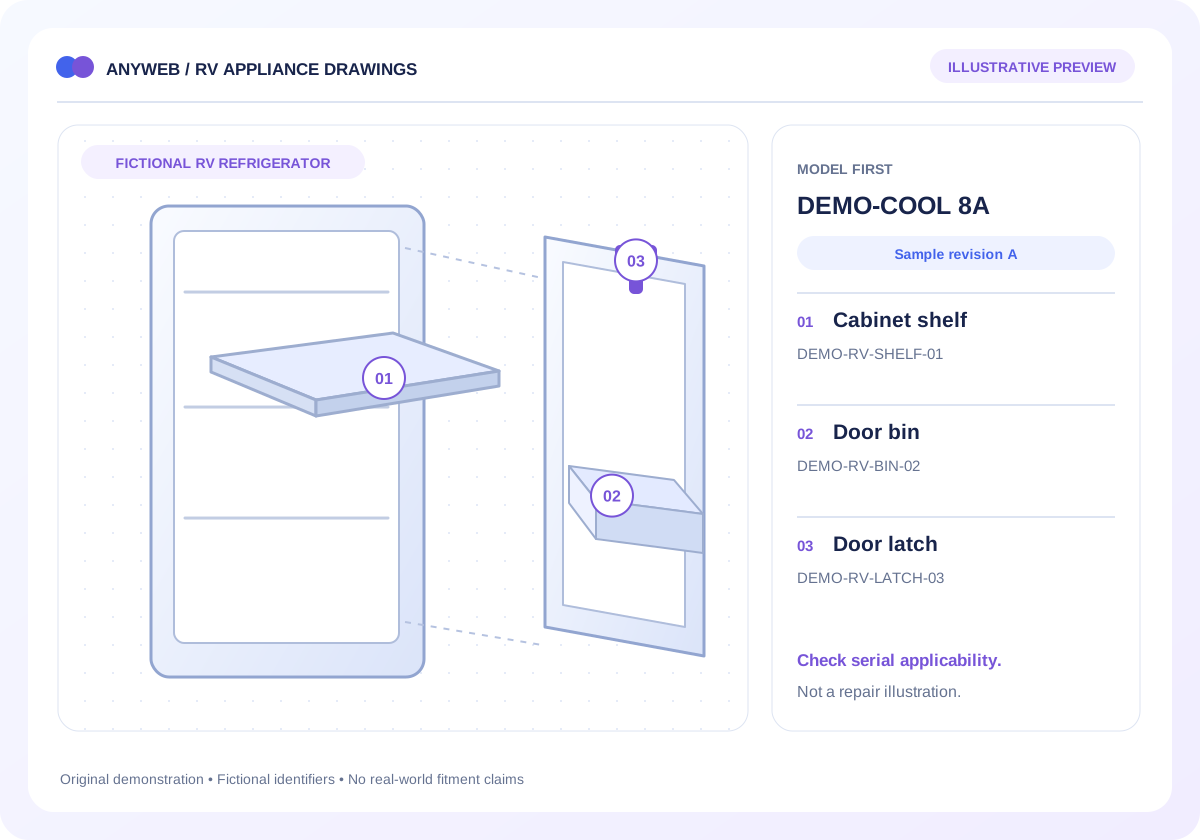
Original exploded demonstration assembly with separate cover, wheel and base linked to numbered part callouts
Illustrative concept · Built around your business
Model dataPart recordsReviewed links
A visual route to the right record

Turn a diagram callout into a shopping journey.

For equipment dealers and technical catalogs, a customer may recognize a component before knowing its name. Anyweb can connect approved exploded drawings to a synchronized parts list and Shopify product links, with the context needed to make an informed selection.

Free first look. Scope, connections and costs agreed before a production build.

A CONCRETE FIRST LOOK

Explore a fictional assembly

Illustrative data, designed to make the workflow easier to discuss.

SAMPLE WORKSPACE
Explore a fictional assembly; fictional example data
CalloutPart referenceSelection detail
01DEMO-COVER-01Housing cover; demonstration only
02DEMO-WHEEL-02Drive wheel; demonstration only
03DEMO-BASE-03Mounting base; demonstration only

Original fictional drawing and identifiers. The preview does not add real items to a cart or assert compatibility.

Original exploded demonstration assembly with separate cover, wheel and base linked to numbered part callouts
ILLUSTRATIVE CALLOUT 1

01

DEMO-COVER-01

Housing cover. A production callout would show its verified model, revision and product mapping.

Fictional part data. A callout identifies a record; it does not establish real fitment, availability or an orderable product.
01

Build around an approved drawing

Start with a diagram you own or have permission to reproduce, its revision identifier and a source parts list. We map each numbered callout to a durable reference rather than relying on visual similarity.

  • Drawing and model revision
  • Callout-to-part associations
02

Make the list as useful as the image

A synchronized text list lets customers browse without precise tapping. Design for zoom, keyboard selection and readable mobile callouts. When an assembly contains several options, show the selection criteria before offering a product.

  • Accessible text alternative
  • One callout can have conditional options
03

Handle the path to Shopify carefully

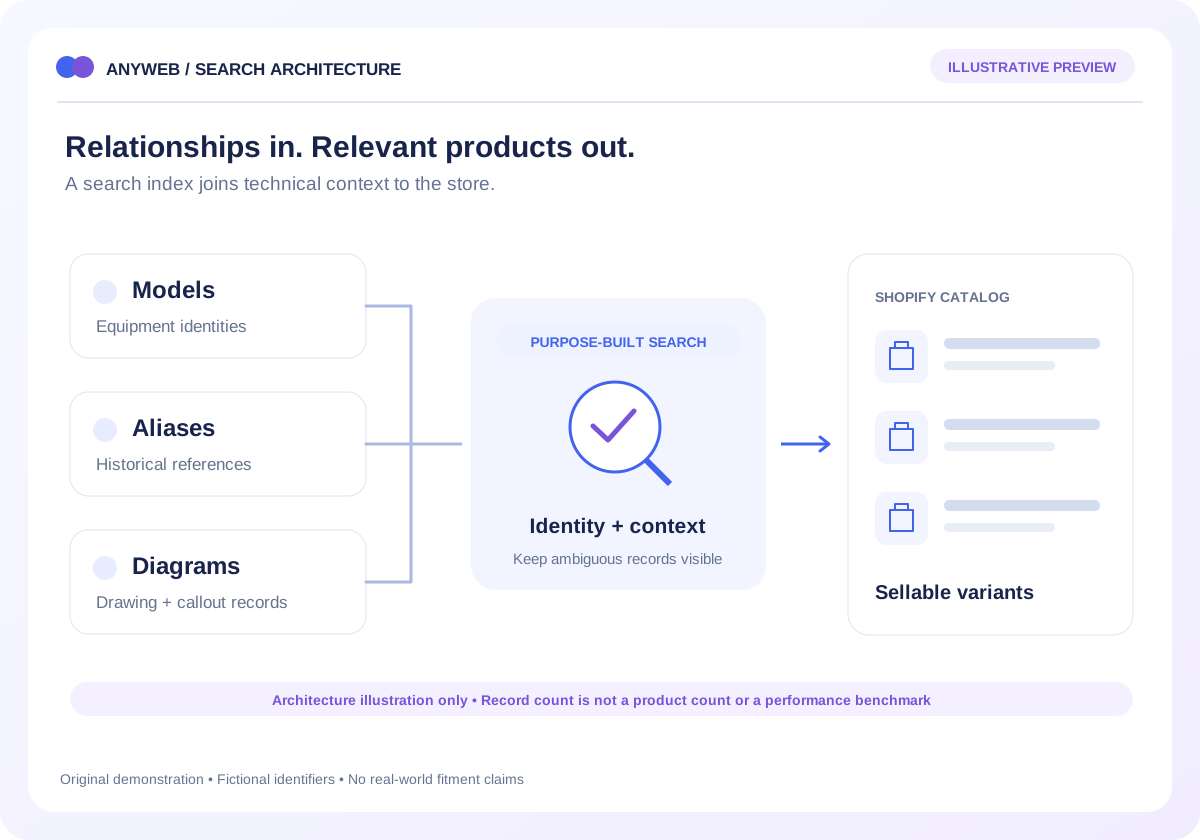
A diagram identifies a reference; Shopify sells a particular product variant. We connect those two records, then surface availability and relevant notes. Cart actions are included only for mapped, eligible variants with required choices resolved.

  • Variant-level mapping
  • Unavailable and superseded states
04

Maintain diagrams without losing history

Scope an editorial process for new drawings, changed part numbers and retired assemblies. A review view should highlight unmapped callouts and broken product links before a replacement diagram becomes public.

  • Source-file and licensing record
  • Checks before publishing revisions
FROM IDEA TO A WORKING PROCESS

A clear path through the work.

Each step makes the dependencies, decisions and handoffs visible.

  1. 01

    Choose an assembly

    Select the equipment model and the applicable drawing revision.

  2. 02

    Select a callout

    Highlight the associated parts-list entry and read any qualification notes.

  3. 03

    Review the product

    Continue to the mapped variant or request assistance if the mapping is unresolved.

REAL WORK. CLEAR CONTEXT.

Explore the relevant building blocks.

These references show related experience. The solution above is a proposed direction, and its exact scope is agreed for your project.

BEFORE YOU START

The useful questions.

What is possible depends on your data, existing systems and the way your business works.

Can I use a manufacturer drawing?

Only with appropriate permission for the intended display and use. Publicly finding an image does not establish reproduction rights; we check the source before including it.

What if a callout has several replacements?

Show the applicable revision, serial range or other qualifier, then ask for the missing information. Do not collapse several conditional parts into one automatic choice.

Can customers add a part to the cart?

That can be built for a verified Shopify variant. Required options, availability and any compatibility checks must be handled first.

Will this work without interacting with the picture?

The planned interface includes a readable parts list and keyboard-operable controls. Customers should not need to pinpoint a tiny hotspot to find a record.

FREE DEMO BEFORE YOU COMMIT

Let’s make the first version useful.

Bring the current workflow and the result you want. We’ll review the dependencies and shape a free demo or concept before you decide on the build.

No upfront payment for the demo. No obligation to continue.
Technical references and further reading

Provider documentation helps define scope. Availability, terms and product capabilities should be checked again for your exact configuration.