IDENTIFY / VERIFY / FINDIllustrative concept · Built around your business
Model dataPart recordsReviewed links
From appliance label to component
Make RV appliance drawings easier to shop.
An RV owner can point to a broken refrigerator shelf yet still struggle to name the replacement. Anyweb can build a guided appliance lookup that starts with the nameplate, opens the applicable drawing and connects its numbered items to reviewed product records.
Free first look. Scope, connections and costs agreed before a production build.
A CONCRETE FIRST LOOK
Explore an original refrigerator example
Illustrative data, designed to make the workflow easier to discuss.
SAMPLE WORKSPACE
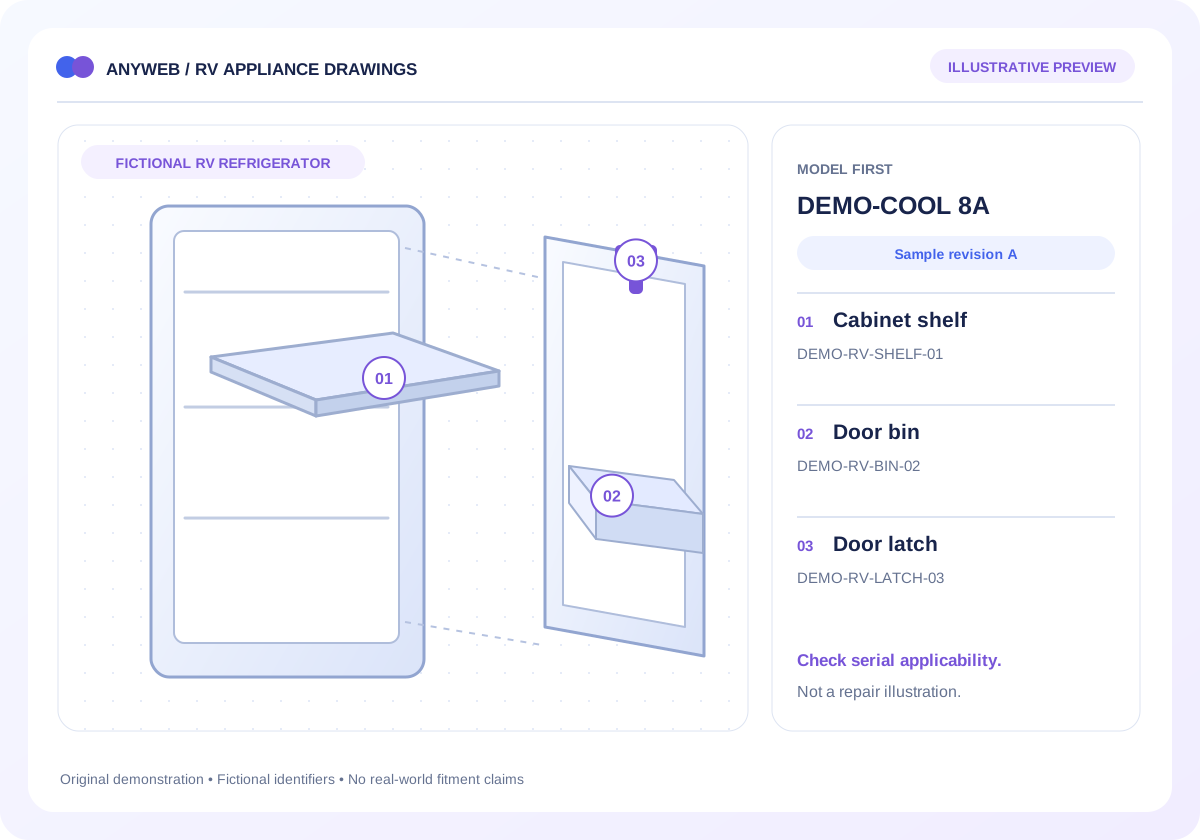
Explore an original refrigerator example; fictional example data
Callout
Fictional part
Lookup context
01
DEMO-RV-SHELF-01
Cabinet assembly / sample revision A
02
DEMO-RV-BIN-02
Door assembly / sample revision A
03
DEMO-RV-LATCH-03
Serial qualification would appear here
Original fictional appliance and part numbers. This is not a manufacturer drawing, service procedure or compatibility recommendation.
ILLUSTRATIVE CALLOUT 1
01
DEMO-RV-SHELF-01
Shelf reference in a fictional cabinet assembly. Production use requires the applicable manufacturer parts list.
Fictional part data. A callout identifies a record; it does not establish real fitment, availability or an orderable product.
01
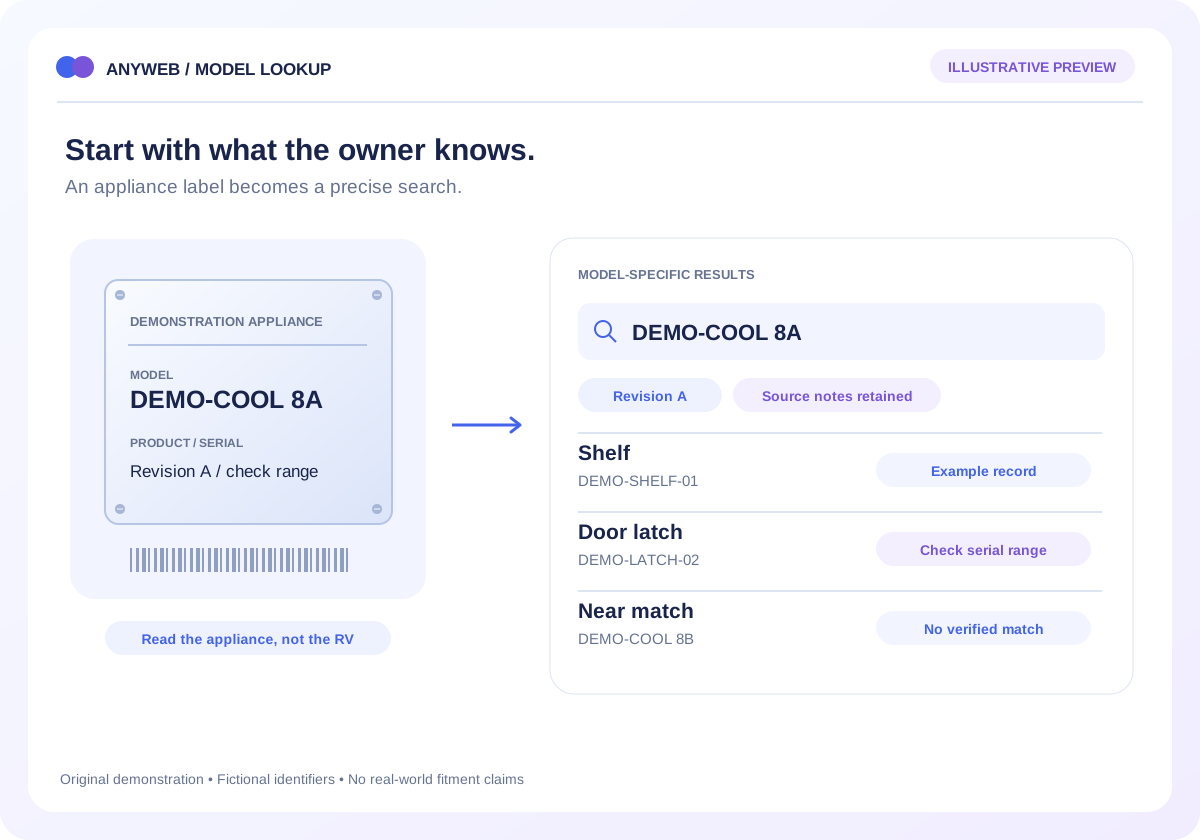
Start with the installed appliance
Ask for the appliance manufacturer, full model and any product or serial identifiers needed by the source. Explain that the RV’s badge is only background context. Let customers submit an identifier for review when they cannot choose confidently.
Nameplate-first entry
Clear route for an uncertain model
02
Choose the correct breakdown
A single appliance can have cabinet, door and other assembly drawings. Group them with plain-language labels and show the model revision before opening the parts list. Do not merge visually similar drawings with different applicable parts.
Assembly-specific navigation
Drawing title and revision context
03
Connect numbered items to reviewed records
Selecting a shelf or latch should highlight its reference number, description and applicable source notes. If a part was superseded, explain the documented replacement path. Missing store products can lead to an inquiry rather than an invented listing.
Source parts-list associations
Documented supersession notes
04
Keep technical limits and rights explicit
Use drawings cleared for storefront reproduction and retain the original source details. The lookup is for identification and purchasing, not repair instructions. Gas and electrical service should follow manufacturer guidance and qualified service requirements.
Licensed images and records
No fitment inferred from appearance
FROM IDEA TO A WORKING PROCESS
A clear path through the work.
Each step makes the dependencies, decisions and handoffs visible.
01
Read the nameplate
Identify the installed appliance and the additional number required by its documentation.
02
Open an assembly
Choose the relevant drawing and confirm its model or serial applicability.
03
Review the component
Select a callout, check the notes and continue to a mapped product or staff inquiry.
REAL WORK. CLEAR CONTEXT.
Explore the relevant building blocks.
These references show related experience. The solution above is a proposed direction, and its exact scope is agreed for your project.
What is possible depends on your data, existing systems and the way your business works.
Do I need permission to use the drawings?
Yes, the intended reproduction and data use need appropriate rights. A manufacturer portal login or a public PDF does not by itself settle those rights.
What if a drawing covers multiple revisions?
Display its applicability and retain the row-level qualifiers. Ask for the additional identifier when a callout changes between revisions.
Can the diagram link directly to checkout?
It can lead to a mapped Shopify product or eligible variant, with required choices and checks first. The safest path depends on the source’s compatibility detail.
Can I start with refrigerators only?
Yes. A limited, well-documented appliance category is a useful pilot. We can validate the model-to-drawing-to-product journey before adding other equipment families.