Skip to content
INVENTORY THAT EARNS TRUST

Keep supplier stock in step with your store.

Stop treating yesterday’s stock file as today’s availability. Anyweb connects approved supplier inventory sources to Shopify and builds the matching, buffers and exception handling around the way you sell.

Free first look. Scope, connections and costs agreed before a production build.

OverviewRulesReview queue
Illustrative supplier stock dashboard showing source quantity 18, safety buffer 3, sellable quantity 15, and an unmatched SKU held for review.
Illustrative concept · Built around your business

Illustrative workspace, not live operating data

A CONCRETE FIRST LOOK

Illustrative available-to-sell calculation

Illustrative data, designed to make the workflow easier to discuss.

SAMPLE WORKSPACE
Illustrative available-to-sell calculation; fictional example data
Supplier itemSource quantityRuleStore quantity
PUMP-01418 eachBuffer 315
VALVE-0322 cases6 each per case; buffer 210
SEAL-009UnknownHold for reviewNo automatic write

Fictional products and quantities. Buffering reduces exposure; it does not guarantee stock will remain available.

Try a stock buffer

Move the controls to see one possible inventory rule.

Sample quantity to publish15

Supplier quantity minus the safety buffer, never below zero.

Local simulation only. No supplier or Shopify connection. A buffer reduces exposure; it cannot guarantee stock or prevent every oversell.
01

Match the exact sellable item

We establish a persistent mapping between supplier records, Shopify variants and the intended inventory location. Leading zeros, pack sizes and manufacturer numbers need explicit treatment. Similar descriptions are useful clues, but they are not enough to approve a match.

  • Keep supplier and store identifiers together
  • Hold unknown variants for review
02

Publish a deliberate quantity

Choose a stock buffer and define how reservations, damaged stock or regional restrictions affect availability. A single-item listing should not inherit a case-pack quantity. The rules should describe exactly what the published number represents.

  • Apply product-specific buffers where needed
  • Keep stock and retail-price ownership separate
03

Respect timing and competing updates

A daily file supports scheduled updates; it cannot reveal purchases made after the export. Shopify distinguishes authoritative quantity setting from adjustments. The implementation needs a defined source of truth and conflict handling when another process changes stock.

  • Show source time and last successful publication
  • Reconcile against current store quantities
04

Test exceptions before broad rollout

Start with representative products, including a sold-out item, a missing row and a pack conversion. Compare proposed changes before enabling writes. Staff need to see which records failed and whether the last usable feed is now too old.

  • Pilot a limited collection
  • Agree the stale-feed response and alert owner
FROM IDEA TO A WORKING PROCESS

A clear path through the work.

Each step makes the dependencies, decisions and handoffs visible.

  1. 01

    Receive

    Read the authorized source.

  2. 02

    Match

    Resolve variant and location.

  3. 03

    Calculate

    Apply approved stock rules.

  4. 04

    Verify

    Check accepted Shopify updates.

REAL WORK. CLEAR CONTEXT.

Explore the relevant building blocks.

These references show related experience. The solution above is a proposed direction, and its exact scope is agreed for your project.

BEFORE YOU START

The useful questions.

What is possible depends on your data, existing systems and the way your business works.

Can this prevent every oversell?

No. Feed delays, simultaneous orders and supplier allocation can still cause discrepancies. Buffers and reconciliation reduce avoidable risk.

Can a supplier send a CSV?

Yes, if the file is authorized and contains stable identifiers and meaningful quantities. Its schedule sets the practical freshness limit.

Can multiple wholesalers contribute stock?

Yes, with separate source rules. Overlapping stock pools must be identified before quantities are combined.

What happens to products missing from a feed?

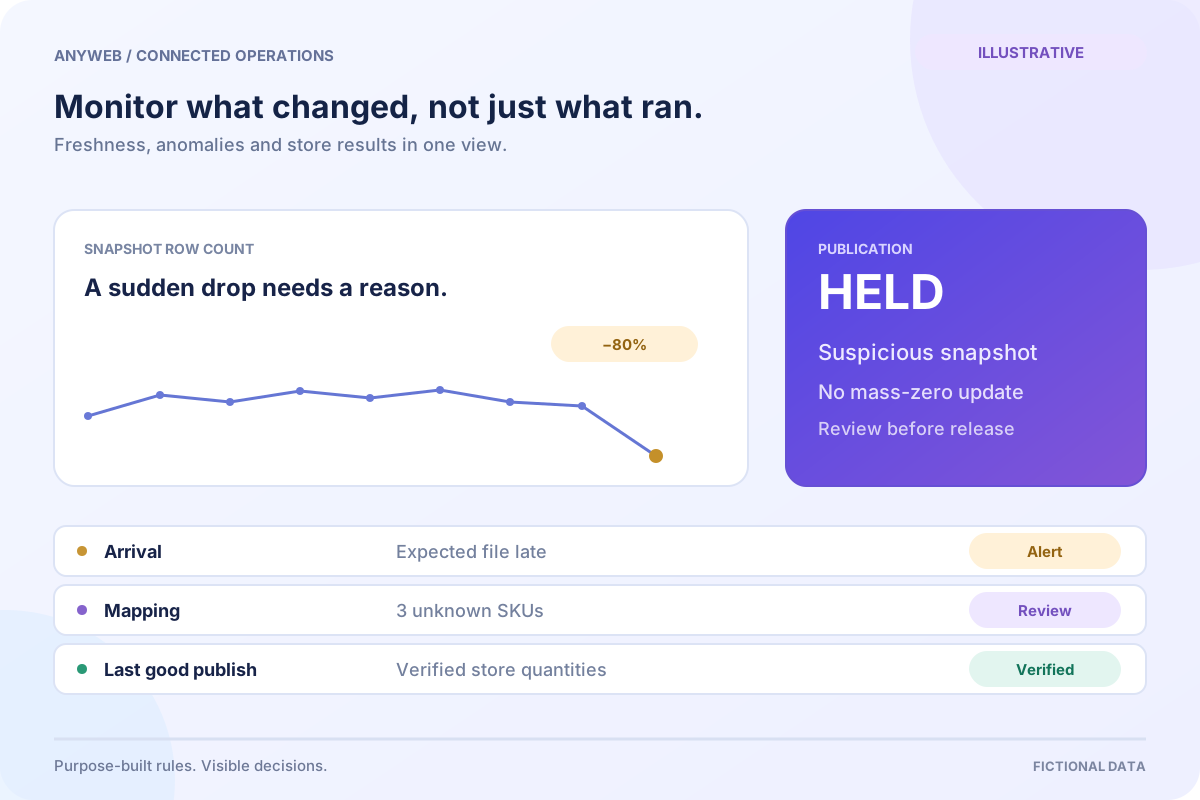
That depends on whether the feed is a complete snapshot or a list of changes. Missing must not automatically mean zero.

FREE DEMO BEFORE YOU COMMIT

Let’s make the first version useful.

Bring the current workflow and the result you want. We’ll review the dependencies and shape a free demo or concept before you decide on the build.

No upfront payment for the demo. No obligation to continue.
Technical references and further reading

Provider documentation helps define scope. Availability, terms and product capabilities should be checked again for your exact configuration.