Skip to content
FILES CAN BE A WORKFLOW

No supplier API? Start with the data you have.

An emailed spreadsheet or scheduled file can still support a useful inventory process. Anyweb turns authorized supplier exports into checked Shopify updates, with clear limits on freshness and a safe response when the file changes.

Free first look. Scope, connections and costs agreed before a production build.

APPROVED SOURCECONTROLLED WORKFLOW
Illustrative file workflow: an emailed CSV and SFTP export enter a validation checkpoint, approved rows reach Shopify, and changed columns enter review.
Illustrative concept · Built around your business
Validate Transform Review
A CONCRETE FIRST LOOK

Illustrative file intake decisions

Illustrative data, designed to make the workflow easier to discuss.

SAMPLE WORKSPACE
Illustrative file intake decisions; fictional example data
Incoming fileCheckAction
Daily stock.csvExpected headers and datePrepare updates
Stock revised.xlsxQuantity column renamedPause and review
Previous stock.csvOlder than accepted fileIgnore repeat

Fictional examples. No supplier inbox, account or live inventory is connected to this illustration.

Start with the source you have

Choose an example source to see the first feasibility questions.

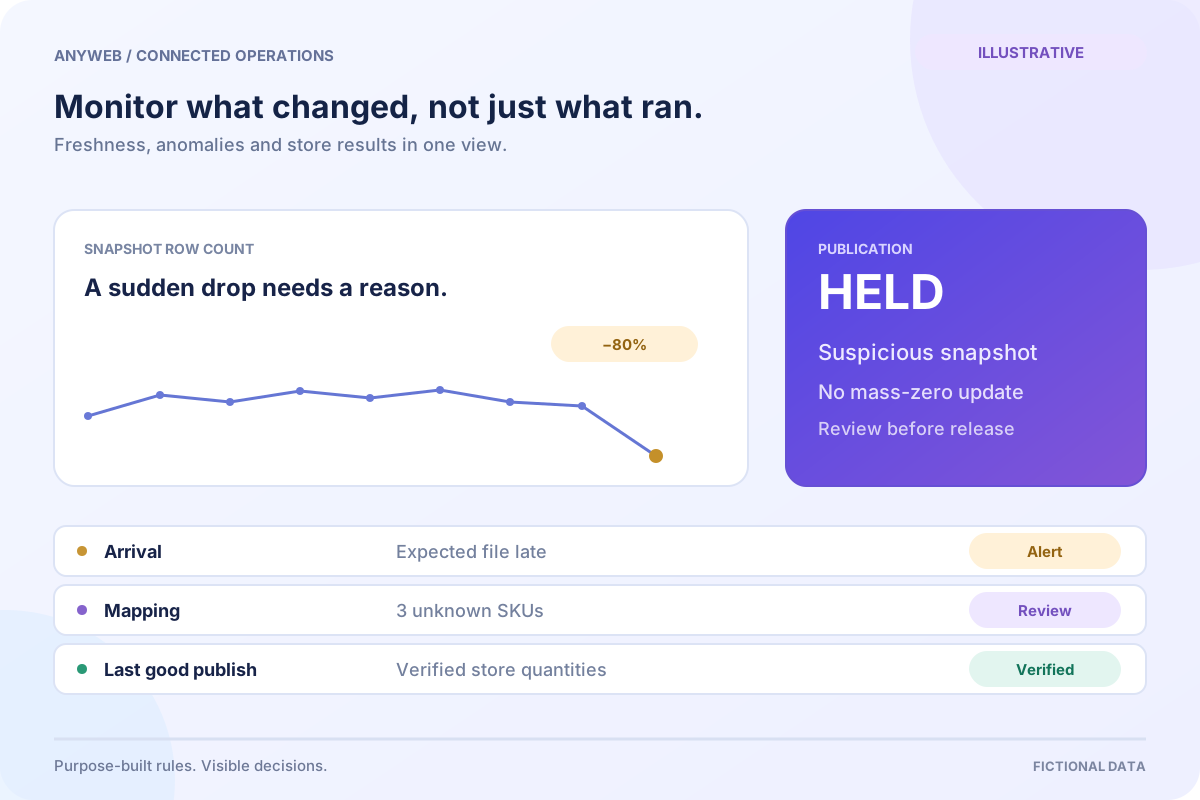
Agree a stable column map, delivery schedule and SKU key. Validate the file before publishing changes and flag a missing or stale delivery.

Illustrative planning guide. This does not inspect your provider or confirm that a connection is available.
01

Identify the most dependable input

We assess a supplier-approved CSV, spreadsheet, XML export, SFTP delivery or dedicated email attachment. A consistent filename helps, but delivery time, source timestamp and documented columns matter more. Manually downloaded files can also support a staged workflow.

  • Confirm the supplier permits automated processing
  • Use a dedicated intake location where practical
02

Validate the whole file before writing

A new column order should not turn prices into quantities. Check required headers, date formats, encoding and row counts before mapping any records. Keep leading zeros in item codes and distinguish an empty quantity from a genuine zero.

  • Reject incomplete or unexpected file structures
  • Separate complete snapshots from change-only files
03

Translate supplier rows into store records

A supplier export is rarely ready for Shopify unchanged. We map item identifiers and location rules, convert approved units and create a review list for ambiguous rows. Shopify offers inventory CSV import for bulk changes; scheduled ingestion adds its own validation and operating process.

  • Preview the proposed inventory changes
  • Keep the original file for a defined retention period
04

Plan for a late or missing delivery

If Monday’s file never arrives, the workflow should show Monday’s gap. Choose when to alert, when to stop publishing and whether stale products should be held from sale. Recovery means processing a verified replacement, not blindly replaying every old attachment.

  • Set an expected arrival window
  • Assign someone to resolve supplier-side failures
FROM IDEA TO A WORKING PROCESS

A clear path through the work.

Each step makes the dependencies, decisions and handoffs visible.

  1. 01

    Collect

    Receive an approved export.

  2. 02

    Inspect

    Check structure and freshness.

  3. 03

    Transform

    Map units, SKUs and locations.

  4. 04

    Publish

    Apply reviewed stock rules.

REAL WORK. CLEAR CONTEXT.

Explore the relevant building blocks.

These references show related experience. The solution above is a proposed direction, and its exact scope is agreed for your project.

BEFORE YOU START

The useful questions.

What is possible depends on your data, existing systems and the way your business works.

Can inventory update from an emailed spreadsheet?

Often, with supplier permission, consistent records and access to an agreed inbox or forwarding route. The file must pass checks first.

Can you use a supplier website instead?

Only an explicitly authorized, supported process can be assessed. Restricted portals and access controls will not be bypassed.

What if the supplier changes its columns?

The file should pause at validation and show the difference. A reviewed mapping update can restore processing.

Is file-based inventory real time?

No. It reflects the supplier’s export and delivery schedule, plus the time needed to validate and publish it.

FREE DEMO BEFORE YOU COMMIT

Let’s make the first version useful.

Bring the current workflow and the result you want. We’ll review the dependencies and shape a free demo or concept before you decide on the build.

No upfront payment for the demo. No obligation to continue.
Technical references and further reading

Provider documentation helps define scope. Availability, terms and product capabilities should be checked again for your exact configuration.