See supplier costs, market prices and margin inputs together.
Anyweb builds a staff-only pricing workspace that brings authorized supplier costs and permitted market comparisons beside your store prices. See which products need a decision, which inputs are stale and what a proposed change would mean.
Free first look. Scope, connections and costs agreed before a production build.
OverviewRulesReview queue
Illustrative concept · Built around your business
Illustrative workspace, not live operating data
A CONCRETE FIRST LOOK
Fictional pricing-review queue
Illustrative data, designed to make the workflow easier to discuss.
SAMPLE WORKSPACE
Fictional pricing-review queue; fictional example data
Product
Reason
Next action
Pump A
Freight missing
Complete cost basis
Valve B
Comparable offer changed
Review proposed price
Seal C
Supplier cost stale
Refresh before calculating
Invented products and statuses demonstrate decisions, not current prices, savings or market coverage.
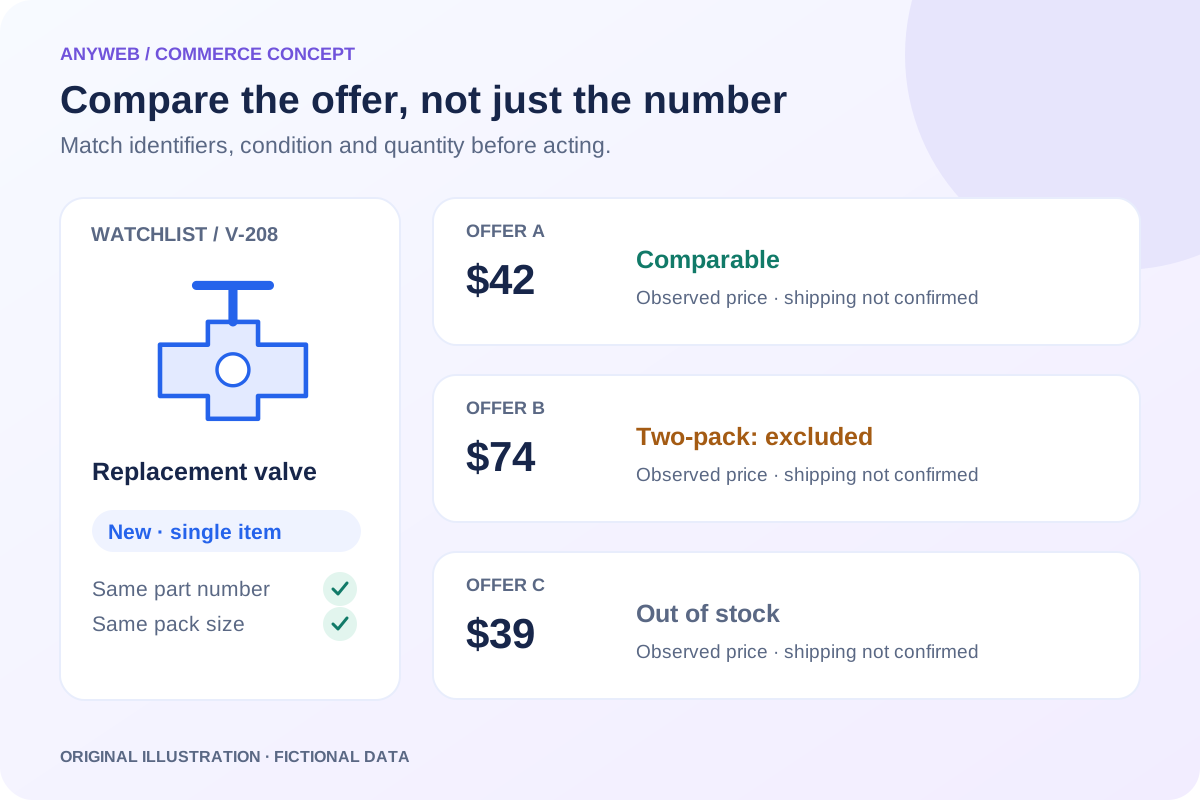
Inspect a sample market observation
A useful comparison needs more than a lower number.
Ready for human comparison
The sample model and pack quantity match, and the observation is within its agreed age. Compare shipping, stock and terms before deciding.
Fictional observations. No competitor website is contacted, no live price is shown and no selling price is changed. Monitoring requires approved access and an agreed match policy.
01
Join the records without hiding uncertainty
Map a master product to supplier codes, store variants and verified comparison offers. Show the source of each input and the last refresh. Missing freight, uncertain matches and stale costs remain visible instead of disappearing into a precise-looking margin percentage.
02
Use a labeled cost calculation
Choose the supplier cost and any freight, handling or currency allowances included in the view. Distinguish gross product margin from contribution after selected costs and from actual business net profit. The dashboard should show the calculation assumptions so staff can challenge an incorrect input.
03
Prioritize an actionable queue
Group products by the reason for review: supplier cost increased, a comparable offer changed, a price sits below the defined floor or data is incomplete. A small queue of explainable decisions is more useful than a wall of unexplained red cells.
Cost changes with source records
Match confidence and freshness warnings
04
Keep decisions and publication connected
Let authorized staff approve, reject or defer a proposal with a reason. Preserve existing price locks and record the applied rule version. Monitoring, analysis and publication can be separate permissions so someone checking supplier costs does not accidentally change storefront prices.
FROM IDEA TO A WORKING PROCESS
A clear path through the work.
Each step makes the dependencies, decisions and handoffs visible.
01
Map the decision inputs
Select a representative product set, cost sources and permitted market comparisons.
02
Review the working view
Check calculated margins, stale inputs and product-match evidence.
03
Choose the action rules
Decide which proposals need approval and which may publish automatically.
REAL WORK. CLEAR CONTEXT.
Explore the relevant building blocks.
These references show related experience. The solution above is a proposed direction, and its exact scope is agreed for your project.
The owner-supplied walkthrough shows supplier and shipping costs, feed status and review queues. Private values are masked; interface figures are not measured project outcomes.
What is possible depends on your data, existing systems and the way your business works.
Can we monitor a small subset?
Yes. Start with products whose pricing decisions matter most, then expand only after validating source reliability, matches and the usefulness of the review queue.
Can brands have different rules?
Yes. Each brand or category can have its own cost allowances, target ranges and approval thresholds, with an explicit rule priority when they overlap.
Can it leave prices unchanged?
Yes. The workspace can remain read-only or generate proposals that require approval. Publishing permission and automatic repricing are separately configured.
Does the dashboard show our real net profit?
Only a complete accounting process can establish net profit. This workspace shows the defined product-cost calculation and its limitations, including missing or estimated expenses.
Compare matching products, shipping and availability in a focused Shopify competitor-price dashboard. Review useful changes without automatic repricing.